Occasionally people have a problem after signing up as a member where they are repeatedly asked to sign in.
Unfortunately this is a problem with the Internet Explorer browser, not www.pointtopointautomotive.com.
The solution is to clear the "browser cache". You can do this in the latest version of Internet Explorer by clicking on the Tools menu, selecting Internet Options, and clicking on the Delete files button as shown below.
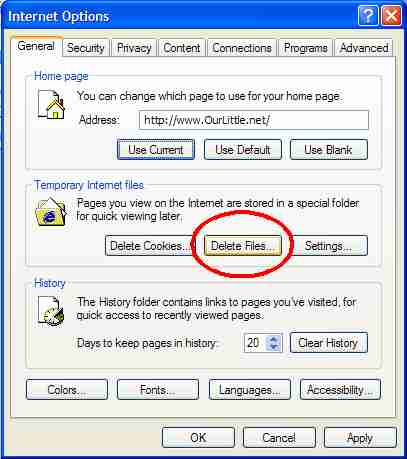
This can take a long time (as long as 15 minutes or more), so be patient!
What is the browser cache? This is an area on your computer where Internet Explorer stores pages that you have visited. When you next visit that page Internet Explorer displays the page quicker by showing you the page stored on your computer rather than asking the web site. |